What are OAuth 2.0 Scopes?
OAuth 2.0 scopes are strings issued to access tokens. The Introduction to Scopes explains how APIs use scopes to restrict access to resources. A common way to get started with scopes is to use a combination of the type of resource and the access required on it:
| Resource Type | Access Level | Scope Value |
|---|---|---|
| order | read | order_read |
OAuth standards documents do not define how you should use scopes but leaves that to designers of each system. This article explains how to manage scopes at scale, avoid common problems, and use some advanced scope techniques. For that, it uses an example to showcase the arguments.
Scopes Design
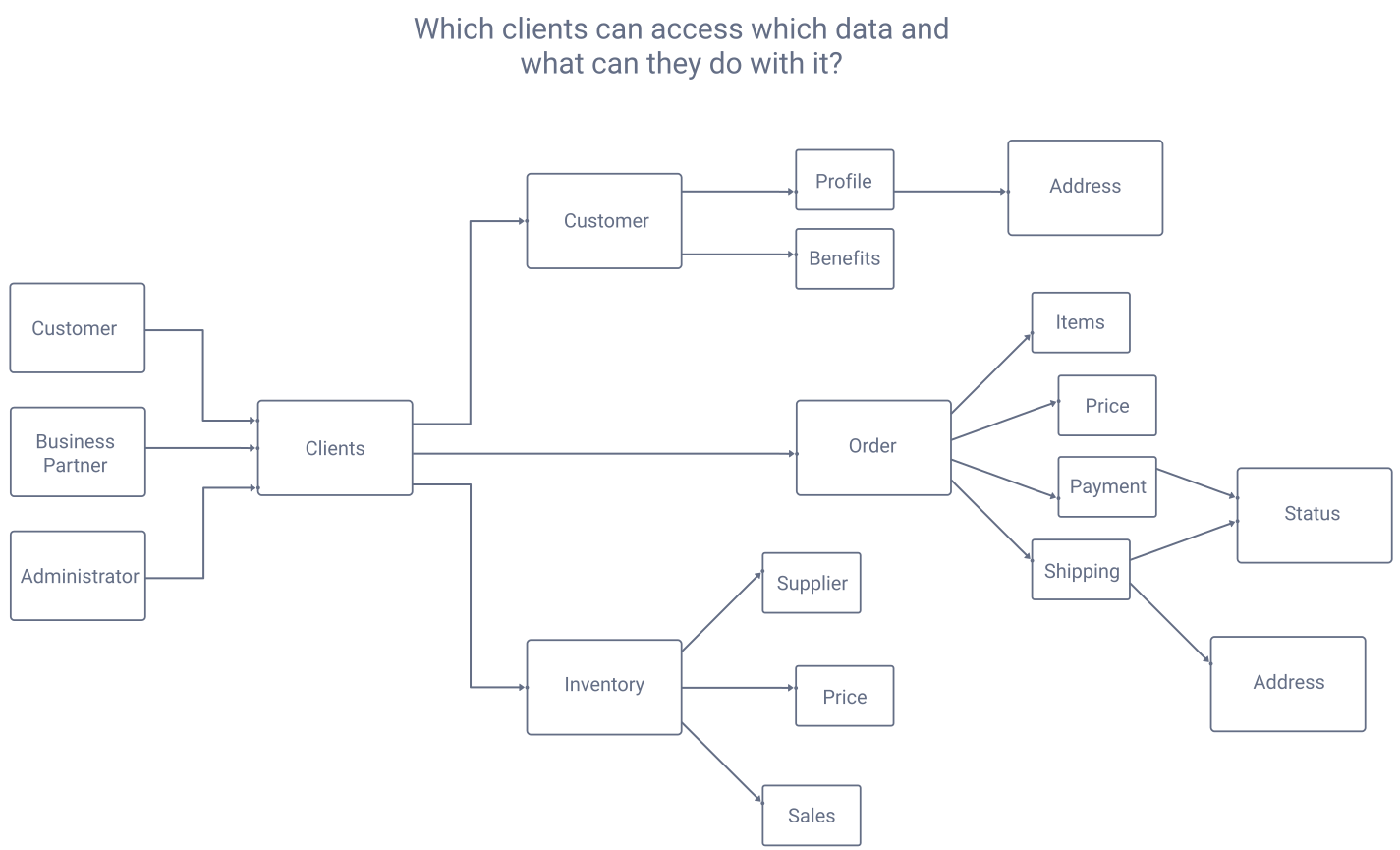
When you design scopes for real-world systems you set boundaries on where clients can use access tokens. To enable this, APIs should separate data both by business area and data sensitivity, so that you expose parts of your data to different clients. You should control which clients can gain access to which API privileges.
Use Hierarchical Scopes
When data is hierarchical you can use hierarchical scopes, as in the below examples, where colon characters represent subresources:
| Scope | Grants access to |
|---|---|
| order | Full information about orders. |
| order:item | Information about items within an order. |
| order:payment | Access to order payment details. |
| order:shipping:address | Information about where to deliver orders. |
| order:shipping:status | Information about the delivery status of orders. |
Use Least-Privilege Scopes
Design clients so that they only have access to the data they need, and limit the scope to read-only access when write access is not needed. One possible convention is to make read-only access the default and then add a write suffix when higher privilege is needed:
| Scope | Access Granted |
|---|---|
| order | Read only access to full order information. |
| order:items | Read only access to details about order items. |
| inventory:write | The ability to create, change or delete an entire inventory item. |
| inventory:price:write | The ability to change the price details for an inventory item. |